The best AI background remover depends on what you need from the file: remove.bg for high-volume API work, Photoshop for the hardest manual edges, Photoroom for product listings, Apple's built-in tool for quick free cutouts, and Recraft if you keep editing after the cutout or work with SVG files. Before you pick, check the free tier, because download size, watermarks, and commercial rights differ more between these tools than their marketing pages suggest.
Below, we compare seven AI background removers on what each one lets you download, where you can use the result, and how it fits into the rest of your work.
How we compared them
Every tool was compared on five things, taken from each vendor's own product pages and help docs in October 2026:
- Free option: whether you can remove a background without paying
- Free download: the size and condition of the file you can keep for free
- Commercial use on free: whether free results can go on a store, a client project, or an ad
- SVG support: whether vector files stay vector
- API: whether developers can automate it
We didn't score cutout quality. Results vary from image to image, so the most reliable test is your own hardest photo, run on each tool's free tier before you pay.
Best AI background removers compared
Based on each vendor's product pages and help docs, October 2026. Plans change often, so check pricing before you buy.
| Tool |
Free option |
Free download |
Commercial use on free |
SVG support |
API |
| Recraft |
Yes, with daily free credits |
Transparent PNG. Large images are downscaled before removal. |
No. Free images are public. |
Yes, SVG in and SVG out |
Yes, $0.01 per image |
| remove.bg |
Yes |
Preview at 0.25 MP. Full resolution, up to 50 MP, costs credits. |
No |
No |
Yes, credit-based |
| Adobe Photoshop |
No, subscription only |
Paid plans only |
Paid plans only |
No |
Through Adobe's enterprise APIs |
| Canva |
No, paid plans only |
Paid plans only |
Paid plans only |
No, vector images aren't supported |
No |
| Photoroom |
Yes |
Watermarked, standard resolution |
Check plan terms |
No |
Yes, paid |
| Picsart |
Limits not published |
Not published |
Not published |
No |
Yes, paid |
| Apple Photos and Preview |
Yes, built into macOS and iOS |
No plan limits |
No plan restrictions on your own images |
No |
No |
The 7 tools, one by one
1. Recraft
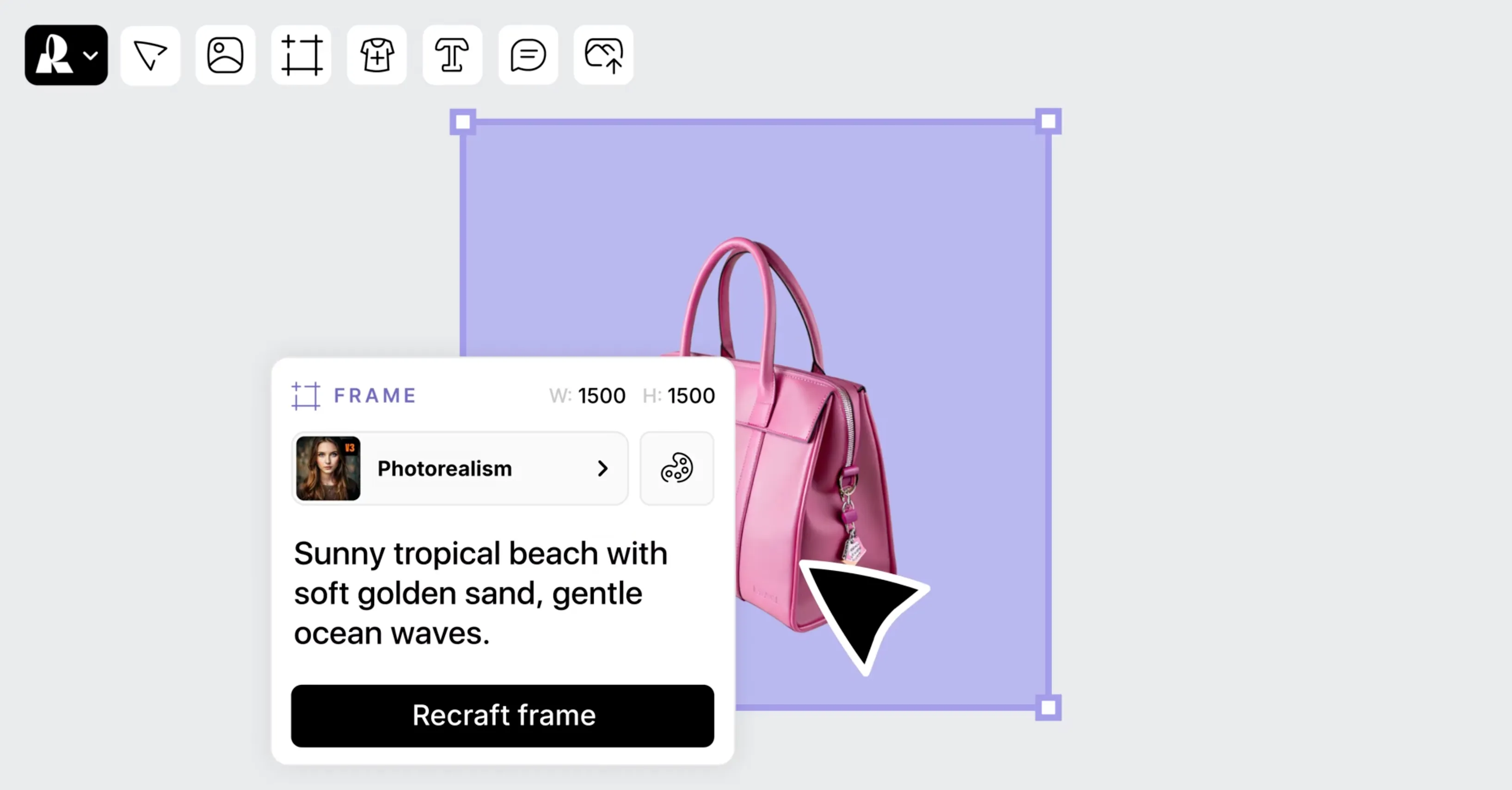
Recraft's background remover runs in one click inside Recraft Studio, and the cutout stays on the canvas for the next step: a new background, a mockup, or a generated scene. It's the only tool here that takes an SVG and returns an SVG, so vector artwork stays editable instead of being flattened to pixels. Developers can call the same tool through the API at $0.01 per image.
Where it falls short: it's tuned for images around 1,024 pixels on the shorter side. Larger files are downscaled before removal, which can soften detail on big product shots. On the free plan, you can upload three images a day, and results are public and not licensed for commercial use.
Best for: designers who want the cutout and the rest of the edit in one place, and anyone working with vector files.
2. remove.bg
remove.bg does one job and does it fast. It handles people and products cleanly, has a mature API for bulk work, and full-resolution downloads go up to 50 megapixels.
Where it falls short: the free download is a preview capped at 0.25 megapixels, roughly 625×400 pixels. Full resolution costs a credit per image, and free results are for personal use only.
Best for: teams processing high volumes through an API, where per-image cost is predictable.
3. Adobe Photoshop
Photoshop's Remove Background gives a fast first pass on a layer mask, so nothing is lost for good, and Select and Mask lets you refine hair strand by strand. No other tool here gives you that much manual control over a difficult edge.
Where it falls short: it needs a paid subscription and some skill, and it's slower than one-click tools for simple jobs.
Best for: retouchers who need the hardest cutouts perfect, not just fast.
4. Canva
Canva's Background Remover works inside the design you're already building, with erase and restore brushes for touch-ups. If your team lives in Canva, it removes a step.
Where it falls short: it's available on paid plans only, works on photos under 9 MB, and doesn't process vector images.
Best for: Canva Pro users making social and marketing graphics.
5. Photoroom
Photoroom is built around product photos. Batch processing, generated shadows, and listing templates make it quick to turn a folder of phone shots into a consistent catalog.
Where it falls short: free exports are watermarked and limited to standard resolution, and batch processing needs a paid plan.
Best for: e-commerce sellers listing products every week.
6. Picsart
Picsart pairs background removal with a broad photo editor built for phones, so a cutout can become a social post without switching apps.
Where it falls short: Picsart doesn't publish its free limits for background removal, and third-party reviews disagree on what free users get. Check in the app before you plan around it.
Best for: creators editing on their phone.
7. Apple Photos and Preview
On a Mac, iPhone, or iPad, you can lift the subject out of a photo without installing anything. It's free and fast on subjects with a clear outline.
Where it falls short: there's no edge refinement, no batch control, and no way to fix a bad cutout beyond trying again.
Best for: quick, one-off cutouts when you don't want to upload anything to a website.
How to choose an AI background remover
- Check the free download, not the preview. A cutout can look perfect on screen and still download at a fraction of the original size.
- Test your hardest image first. If your work is mostly hair, fur, or glass, run one of those before you pay for credits.
- Think about the next step. If the cutout goes straight into a design, a remover inside your design tool saves an export and an import.
- Match the pricing to your volume. Per-image credits suit occasional work. Subscriptions and APIs suit weekly batches.
- Check commercial rights. Several free tiers limit commercial use, including Recraft's. Images made on a Recraft paid plan come with full ownership and commercial rights.
No single remover wins every image. Pick the one that handles your hardest edge and fits where the file goes next.
Remove a background in Recraft for free
.svg)